Rainbow Roadmap guide
How to make a free online mind map, step by step
Start with a topic, build branches and refine the layout with three reproducible examples. Sign in to use your free allowance; AI access follows your account plan.
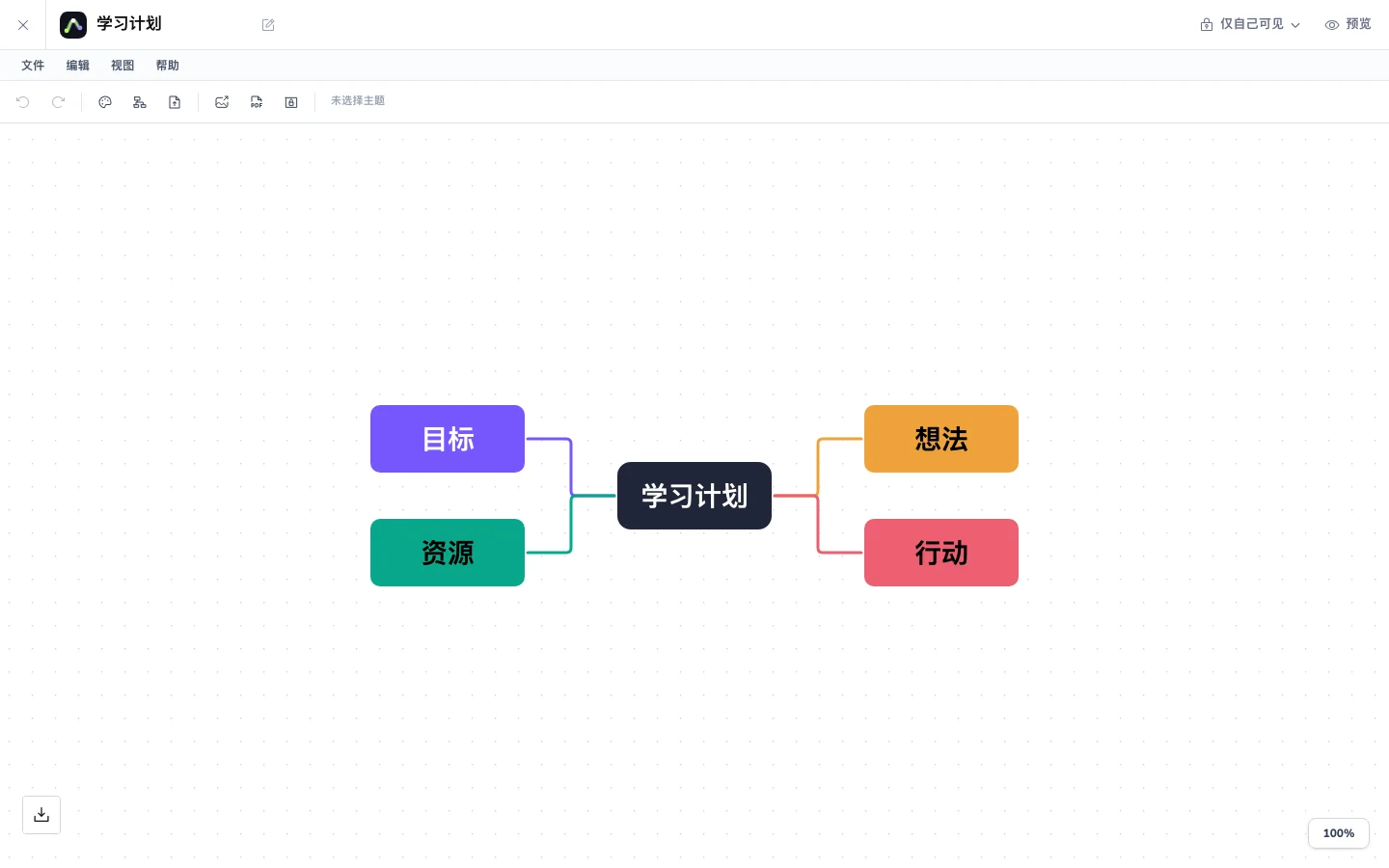
Start manually, then add AI when it helps. A study plan works well as a first map: connect one topic to goals, materials and actions.
Before you start
- Sign in to the workspace and check your free creation allowance.
- Choose one topic and three questions you want to organize.
- No file upload is needed for this manual workflow. AI maps from PDF notes are optional.
01
Create a central topic
Create a mind map in the workspace and name its central topic “Study plan”. Double-click a topic to edit its text.
Use a short goal rather than a paragraph.
02
Build your branches
Add Goals, Materials and Actions, then expand each with subtopics. Use the example structures below as writing references.
Keep sibling branches parallel and give each node one idea.
03
Refine the structure
Use the existing layout, theme and outline controls. Review outline drafts before explicitly applying them to the canvas.
Check the hierarchy before polishing colors and text size.
04
Review and share
Remove repeated or overly long branches, then use the workspace’s sharing or export controls. Formats and allowances appear in the current panel.
Check source links before applying an AI draft from PDF notes.
Try an example
Three structures to start with
Examples use an original reading guide. Open the workspace to work with your own files.
Goals
- Learn concepts
- Practice
Materials
- Book chapters
- Reading notes
Actions
- Daily study
- Weekly review
Example structure. Recreate these topics and branches in your workspace; this preview does not save a map.
Knowledge
- Key chapters
- Concept links
Practice
- Typical problems
- Common mistakes
Review
- Active recall
- Check sources
Example structure. Recreate these topics and branches in your workspace; this preview does not save a map.
Question
- Research goal
- Related work
Method
- Experiment design
- Evidence
Conclusions
- Findings
- Limits and questions
Example structure. Recreate these topics and branches in your workspace; this preview does not save a map.
Check your result
- The topic and branches answer a clear question.
- Free creation allowance and AI credits are separate benefits.
- Example previews do not automatically create a map in your account.
Common questions
No. Sign in to create and edit within your free allowance. Additional features and AI usage follow your account plan.
Use the existing reader AI draft workflow, check its branches and sources, then apply the draft to a map.